Create a listing without filling out a form or typing a single word.
All you need to do is open your phone’s camera and walk through the property.
Our AI agent will take care of the rest. It will create a flawless listing.
All that’s left is to post the listing, so this property can find its new owners.
Create a listing without filling out a form or typing a single word.
All you need to do is open your phone’s camera and walk through the property.
Our AI agent will take care of the rest. It will create a flawless listing.
All that’s left is to post the listing, so this property can find its new owners.
Meet Lisly
Listing

Photos

Contents

Creatives

Website

Homeowners and real estate professionals love using it.
Trusted by agents at:
Homeowners and real estate professionals love using it. Trusted by agents at:



Generating your marketing plan...
More than a listing.
Everything you need to
market your property.
Enjoy the world while our AI agent does the work.
Generating your marketing plan...
More than a listing.
Everything you need to market your property.
Enjoy the world while our AI agent does the work.
Anyone can create professional listings.
You don’t need a photographer, a copywriter, or years in the business. Walk the property and talk as you go. That’s the whole job.

Your best photos are already in the video.
Lisly watches your walkthrough and pulls the best shots of every room into your listing. Real photos of the real place.

Just talk. Lisly hears more than you think.
Every room you show and every detail you mention lands in the listing. Lisly writes down what it saw and heard, and you can fix anything that’s off.















Do more with every listing you make.
Description
Photo set
Social caption
Email copy
Blog post
WhatsApp message

Listing website
Creative image/video
AI Agent package
One walkthrough gives you the description, the photos, the posts, a website for the property, and an AI agent package for every portal you post to.
Local by default
Lisly writes listings in 105 languages, including right-to-left ones, and it works in 174 countries. Property types, room names and listing fields follow the system your country actually uses, so the result reads like a local listing instead of a translation.
Every market
In your language, for your country.

One account, your whole team
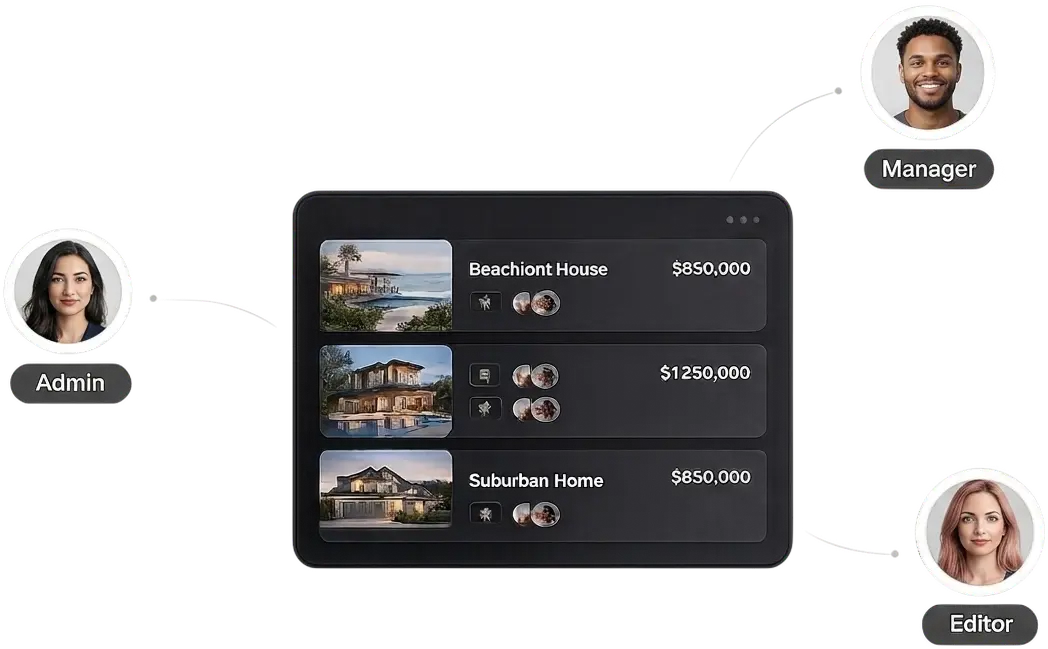
Your agents get their own logins and roles. Every listing stays in one account.
For brokers
Turn your account into an organization, invite as many agents as you need, and pay nothing extra per person. One subscription covers the office.
You have the last word
Swap a photo or rewrite a line you don’t like. Lisly hands you a draft, and you decide when it goes out.

Everything is editable
The description, the features, the photo selection, the social posts: all of it opens in an editor before it goes anywhere. Change a line, delete a photo, or throw the whole thing out and start over. Nothing leaves the app until you send it.
Share a listing with anyone
Send a listing to a colleague, a client, or the owner. They can look without touching anything, or you can let them edit. An email invite is all it takes.

Built on real estate standards
Every listing follows the same data standard the industry uses, so the fields line up wherever you post it.

Why standards matter
Lisly builds each listing on the RESO Data Dictionary, the field standard behind most MLS and portal systems. Bedrooms, lot size, property subtype: they come out with the right names and the right values, so you're not retyping anything when you post.
Local by default
Lisly writes listings in 105 languages, including right-to-left ones, and it works in 174 countries. Property types, room names and listing fields follow the system your country actually uses, so the result reads like a local listing instead of a translation.
Every market
In your language, for your country.
One account, your whole team
Your agents get their own logins and roles. Every listing stays in one account.
For brokers
Turn your account into an organization, invite as many agents as you need, and pay nothing extra per person. One subscription covers the office.
You have the last word
Swap a photo or rewrite a line you don’t like. Lisly hands you a draft, and you decide when it goes out.
Everything is editable
The description, the features, the photo selection, the social posts: all of it opens in an editor before it goes anywhere. Change a line, delete a photo, or throw the whole thing out and start over. Nothing leaves the app until you send it.
Share a listing with anyone
Send a listing to a colleague, a client, or the owner. They can look without touching anything, or you can let them edit. An email invite is all it takes.
Built on real estate standards
Every listing follows the same data standard the industry uses, so the fields line up wherever you post it.
Why standards matter
Lisly builds each listing on the RESO Data Dictionary, the field standard behind most MLS and portal systems. Bedrooms, lot size, property subtype: they come out with the right names and the right values, so you're not retyping anything when you post.
One subscription. Every feature. Every listing.
The same two plans for everyone. No per-seat pricing.
Weekly
$4.99
50 credits
Monthly
$14.99
200 credits
A credit is what Lisly spends when it makes something for you. One listing costs 50.
The only difference between the plans is how many credits you get.
Questions we get a lot.
What is Lisly?
Lisly is a mobile app that turns a walkthrough video of a property into a finished listing. You open your camera, walk through the place and talk about it. Lisly writes the description, pulls the photos, fills in the features, and gives you the content to market it. It runs on iPhone and Android.
How long does it take to create a listing?
Your listing is ready in minutes once the walkthrough finishes uploading. How long depends on the length of your video and how much you covered while filming. Lisly sends you a notification when it’s done, so you can close the app and get on with your day.
Do I need a real estate license to use Lisly?
No. Lisly is for anyone with a property to sell or rent out, whether that’s your own home or a portfolio you manage for clients. Agents, brokers, homeowners and landlords all use the same app.
Do I need a professional camera or a photographer?
No. Your phone’s camera is enough, and Lisly pulls the listing photos out of the video you record. A steady hand helps and a gimbal helps more, but neither is required.
Which countries and languages does Lisly work in?
Lisly works in 174 countries and writes listings in 105 languages, including right-to-left ones. The listing fields and property types match whatever system your country uses, down to the subtypes. The app interface comes in 22 languages.
Can Lisly post my listing to my MLS or to portals?
Lisly doesn’t post to portals or MLS systems directly. What you get instead is an AI agent package: your listing data in standard real estate formats, plus the photos, the description and the transcript. The package also carries instruction files that AI coworkers like Claude Cowork or ChatGPT Work can read to fill in portal forms for you.
How much does Lisly cost?
Lisly Pro is $4.99 a week for 50 credits, or $14.99 a month for 200 credits. One listing costs 50 credits, so the weekly plan covers a single listing and the monthly plan covers four before any extras. You subscribe inside the app, through the App Store or Google Play.
What’s a credit?
A credit is what Lisly spends when it makes something for you. A listing costs 50 credits, an extra description or a piece of content costs 5, a creative image costs 10 and a creative video costs 30. Credits arrive with your subscription, and subscribers can buy extra packs when they run low.
Do drafts cost credits?
No. Credits come out when Lisly starts making something, so a draft you save and come back to costs nothing. If a job fails because of a technical problem, those credits go straight back to your balance.
Do you charge extra for teams?
No, there’s no per-seat pricing. You turn your account into an organization, invite as many agents as you need, and the subscription and credits stay on one billing account. Everyone works from the same listings.
Do unused credits roll over?
Subscription credits don’t roll over. Each billing period starts with a fresh balance, and anything left over from the last one is gone. Credit packs work differently: they’re valid for a year from the day you buy them, and Lisly spends your subscription credits first, so a pack only comes out when the subscription balance runs out.
Can I get a refund?
Subscriptions and credit packs are non-refundable, apart from the rights your local consumer law gives you. Purchases run through the App Store and Google Play, so a refund request starts with Apple or Google. If a lasting technical problem on our side keeps you from using Lisly and we can’t fix it in reasonable time, contact us and we’ll put it right. Our Refund Policy has the details. You can cancel anytime and keep your access until the period ends.
Didn’t find your question? The Help Center has more answers.
Questions we get a lot.
What is Lisly?
Lisly is a mobile app that turns a walkthrough video of a property into a finished listing. You open your camera, walk through the place and talk about it. Lisly writes the description, pulls the photos, fills in the features, and gives you the content to market it. It runs on iPhone and Android.
How long does it take to create a listing?
Your listing is ready in minutes once the walkthrough finishes uploading. How long depends on the length of your video and how much you covered while filming. Lisly sends you a notification when it’s done, so you can close the app and get on with your day.
Do I need a real estate license to use Lisly?
No. Lisly is for anyone with a property to sell or rent out, whether that’s your own home or a portfolio you manage for clients. Agents, brokers, homeowners and landlords all use the same app.
Do I need a professional camera or a photographer?
No. Your phone’s camera is enough, and Lisly pulls the listing photos out of the video you record. A steady hand helps and a gimbal helps more, but neither is required.
Which countries and languages does Lisly work in?
Lisly works in 174 countries and writes listings in 105 languages, including right-to-left ones. The listing fields and property types match whatever system your country uses, down to the subtypes. The app interface comes in 22 languages.
Can Lisly post my listing to my MLS or to portals?
Lisly doesn’t post to portals or MLS systems directly. What you get instead is an AI agent package: your listing data in standard real estate formats, plus the photos, the description and the transcript. The package also carries instruction files that AI coworkers like Claude Cowork or ChatGPT Work can read to fill in portal forms for you.
How much does Lisly cost?
Lisly Pro is $4.99 a week for 50 credits, or $14.99 a month for 200 credits. One listing costs 50 credits, so the weekly plan covers a single listing and the monthly plan covers four before any extras. You subscribe inside the app, through the App Store or Google Play.
What’s a credit?
A credit is what Lisly spends when it makes something for you. A listing costs 50 credits, an extra description or a piece of content costs 5, a creative image costs 10 and a creative video costs 30. Credits arrive with your subscription, and subscribers can buy extra packs when they run low.
Do drafts cost credits?
No. Credits come out when Lisly starts making something, so a draft you save and come back to costs nothing. If a job fails because of a technical problem, those credits go straight back to your balance.
Do you charge extra for teams?
No, there’s no per-seat pricing. You turn your account into an organization, invite as many agents as you need, and the subscription and credits stay on one billing account. Everyone works from the same listings.
Do unused credits roll over?
Subscription credits don’t roll over. Each billing period starts with a fresh balance, and anything left over from the last one is gone. Credit packs work differently: they’re valid for a year from the day you buy them, and Lisly spends your subscription credits first, so a pack only comes out when the subscription balance runs out.
Can I get a refund?
Subscriptions and credit packs are non-refundable, apart from the rights your local consumer law gives you. Purchases run through the App Store and Google Play, so a refund request starts with Apple or Google. If a lasting technical problem on our side keeps you from using Lisly and we can’t fix it in reasonable time, contact us and we’ll put it right. Our Refund Policy has the details. You can cancel anytime and keep your access until the period ends.
Didn’t find your question? The Help Center has more answers.

Download

Lisly
to get started.

Get the App
Open your camera, walk through the property. That’s it.
Open your camera, walk through the property.
That’s it.